To secure the Layer 1 (L1) blockchain in a decentralized way, the network uses a Liquid Staking Token (LST).
When users stake tokens, they are deposited into a shared vault that delegates stake on their behalf to secure the L1. In return for helping secure the network, stakers earn rewards each epoch, distributed proportionally based on their share of the total stake. The LST represents each user’s staked position and accrued rewards.
There are two main ways to stake and mint the LST:
- L1 Staking UI: The official staking front-end of the L1, tailored for its community
- Suzaku App: The staking hub of the Avalanche L1s ecosystem
Both platforms ultimately issue the same LST, granting you liquidity and access to staking rewards while your tokens contribute to securing the underlying network.
Staking Guide
Staking
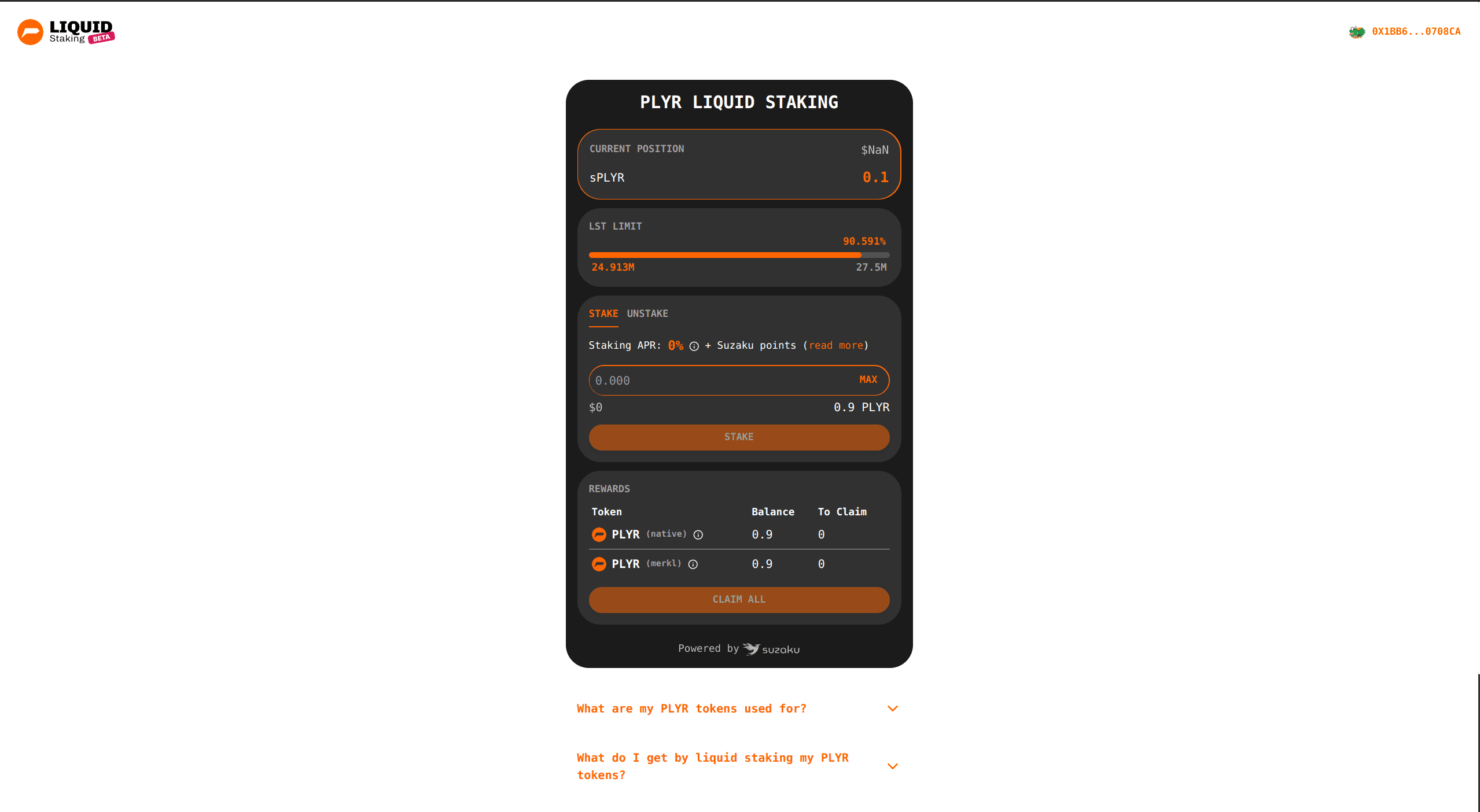
Enter the amount to stake
- Ensure the
Staketab is selected. - Enter the amount of tokens you wish to stake in the input field.
- Optionally, click MAX to stake your entire available balance.
The interface will display:
- The equivalent USD value (if available)
- Your current balance of tokens
If the input is empty or invalid, the staking action will be disabled.
Approve tokens for staking
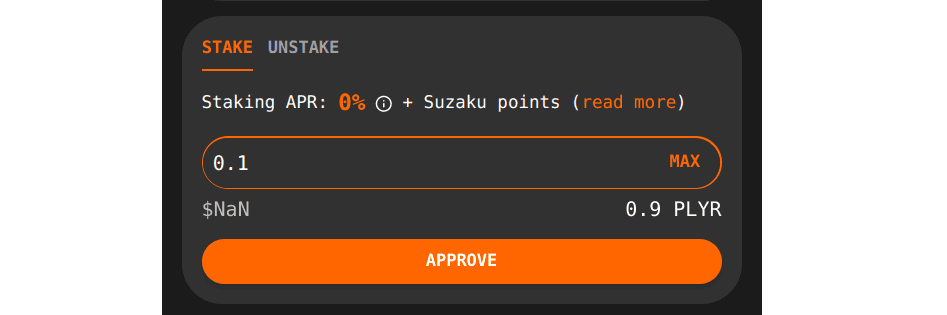
Before staking, you must approve the staking contract to use your tokens.
- After entering an amount, click
Approve. - Confirm the approval transaction in your wallet.
- Wait for the transaction to be confirmed on-chain.
Approval does not stake your tokens; it only grants permission.
Stake your tokens
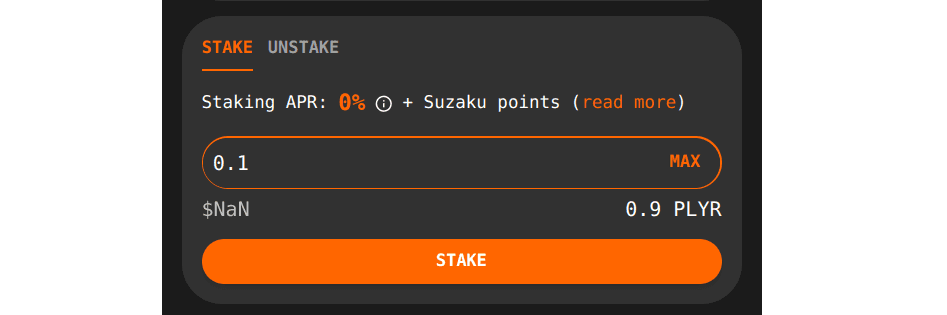
Once approval is complete, the action button will change from Approve to Stake.
- Click
Stake. - Confirm the staking transaction in your wallet.
- Wait for confirmation.
After a successful transaction:
- Your staked position will update
- You will receive the staked asset, representing your liquid staking position
- Your stake will start accruing eligible rewards

Once staked, you can:
- View your position under
Current Position - Track rewards in the
Rewardssection - Claim rewards when available
- Unstake at any time from the
Unstaketab (see the follow-up guide)
Unstaking
Enter the amount to unstake
- Ensure the
Unstaketab is selected. - Enter the amount of tokens you wish to unstake in the input field.
- Optionally, click MAX to unstake your entire position.
The interface will display:
- The equivalent USD value (if available)
- Your current staked position
If the input is empty or invalid, the unstaking action will be disabled.
Unstake your tokens
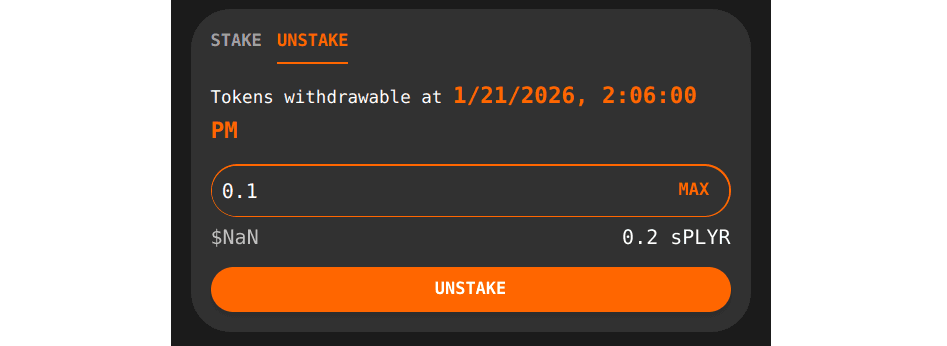
- Click
Unstake. - Confirm the unstaking transaction in your wallet.
- Wait for confirmation.
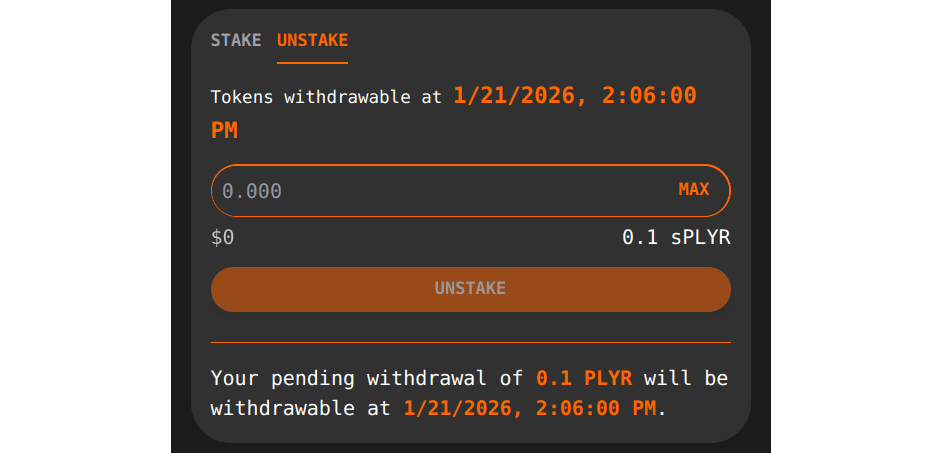
Unstaking is subject to a withdrawal period, during which assets cannot be immediately withdrawn.
After a successful transaction:
- Your staked position will update
- A message telling you when your assets will be withdrawable will appear